 | Dev Portal
Azure Tokens for SCM Bulk Integration and/or Monitoring
Overview
Note: Available for Azure
Repos.
Creating a personal access token
Authentication between Azure Repos and Polaris is managed with a personal token that you create in Azure DevOps. If you haven't done so already, create an access token. For additional information: Use personal access tokens > Create a PAT
Important: Token must be created by an Azure DevOps Organization Owner or users with the "Manage organization webhooks" permission, who are authorized to manage organization webhooks. Although other Azure users may be able to select the scope requirements when creating a token, the token will not work due to permission requirements in Azure to manage organization webhooks.
-
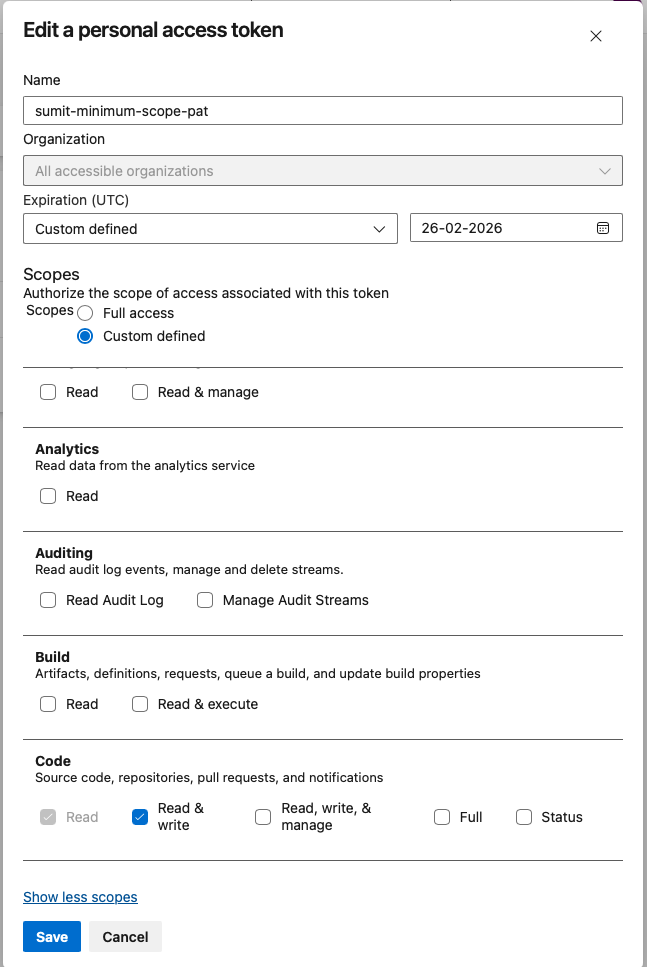
For scopes, select Custom defined.
-
Under Code, select Read & Write.
-
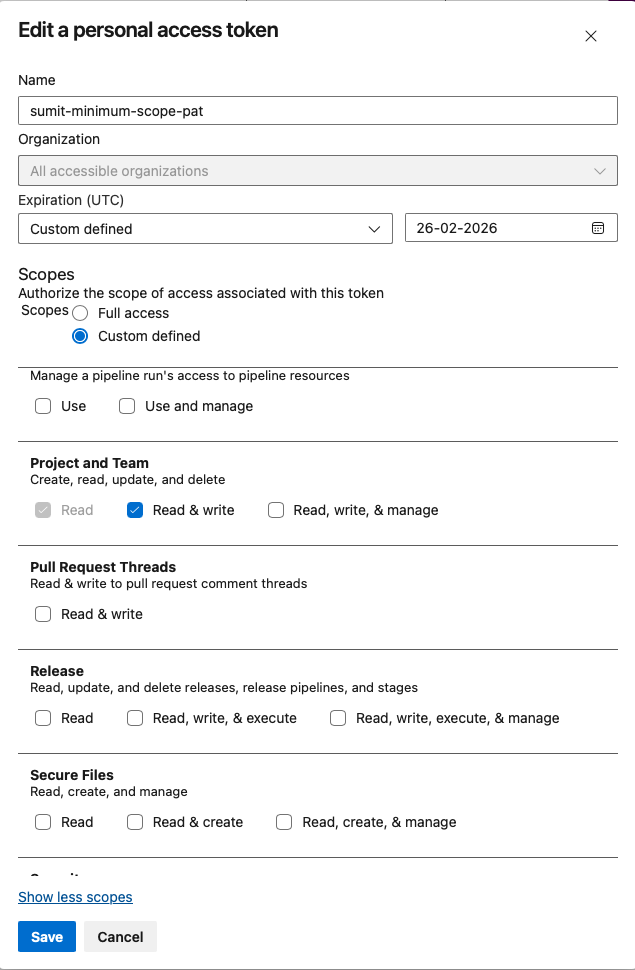
Under Project and Team, select Read & Write.
Important: Store your token in a secure location. Each time you modify a project's SCM integration, you'll need to reenter the token to save your changes. -
Under Code, select Read & Write.
Next Steps
Use this token to connect to Polaris:
After the connection is established:
- Synchronizing Polaris with your SCM Provider
- Event-Based Test Automation in Polaris for SCM Integrations
You can also scan on demand (see How to test from the web UI) or schedule automatic testing on a daily or weekly basis (see Test scheduling policies).
Note: From the Tests screen, before beginning a test manually, make sure to test the connection.