 | Dev Portal
Azure Repos
Prerequisites
Creating a personal access token
Authentication between Azure Repos and Polaris is managed with a personal token that you create in Azure DevOps. If you haven't done so already, create an access token. For additional information: Use personal access tokens > Create a PAT
-
For scopes, select Custom defined.
-
Under Code, select Read & Write.
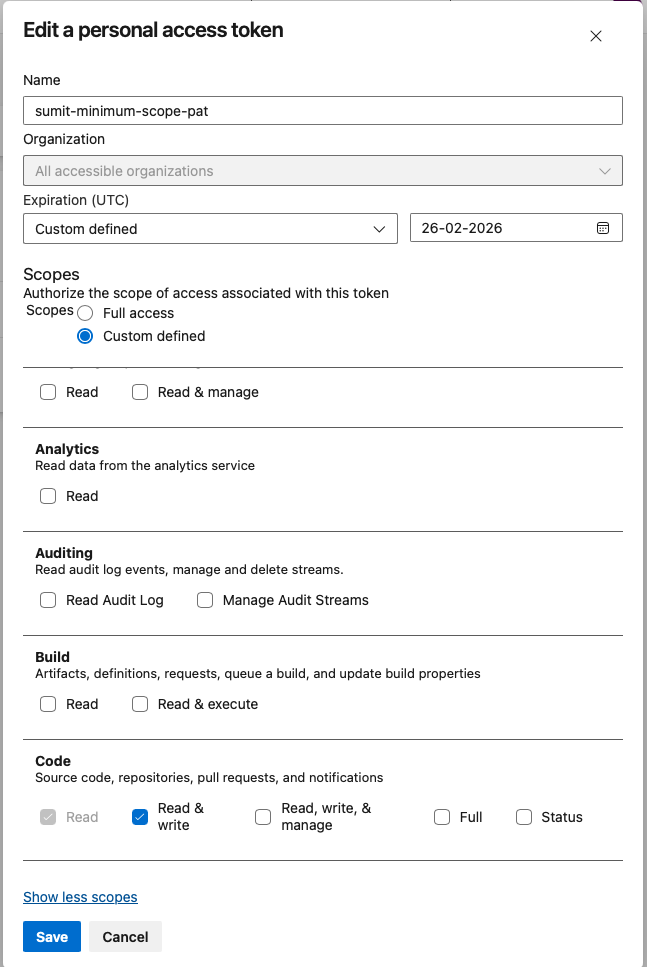
-
Under Project and Team, select Read & Write.
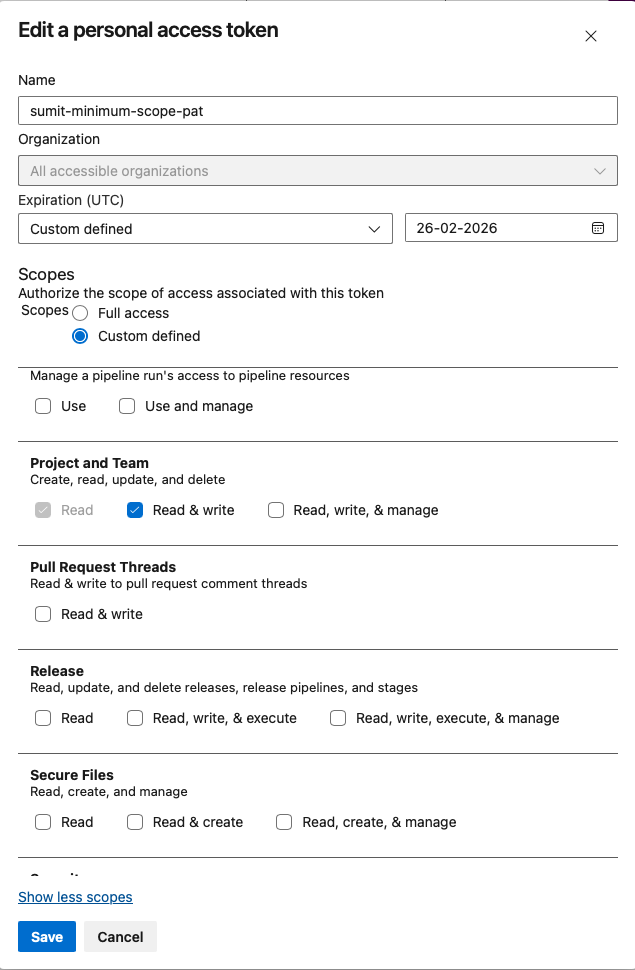
Important: Store your token in a secure location. Each time you modify a project's SCM integration, you'll need to reenter the token to save your changes. -
Under Code, select Read & Write.
SCM bulk onboard to create applications and projects
-
Repository Mapping: This will be different according to which method is selected.
- Automatic Mapping: Lists the organization/projects as applications and repositories as projects. You can view repositories to be imported by using the pulldowns (read only).
- Custom Mapping: Select New (type application name) or Existing (select application from pulldown), then select repositories from pulldowns under Projects. If an arrow is next to a name, you can click to select repositories within it. Click Add More to map repositories to multiple applications.
Note: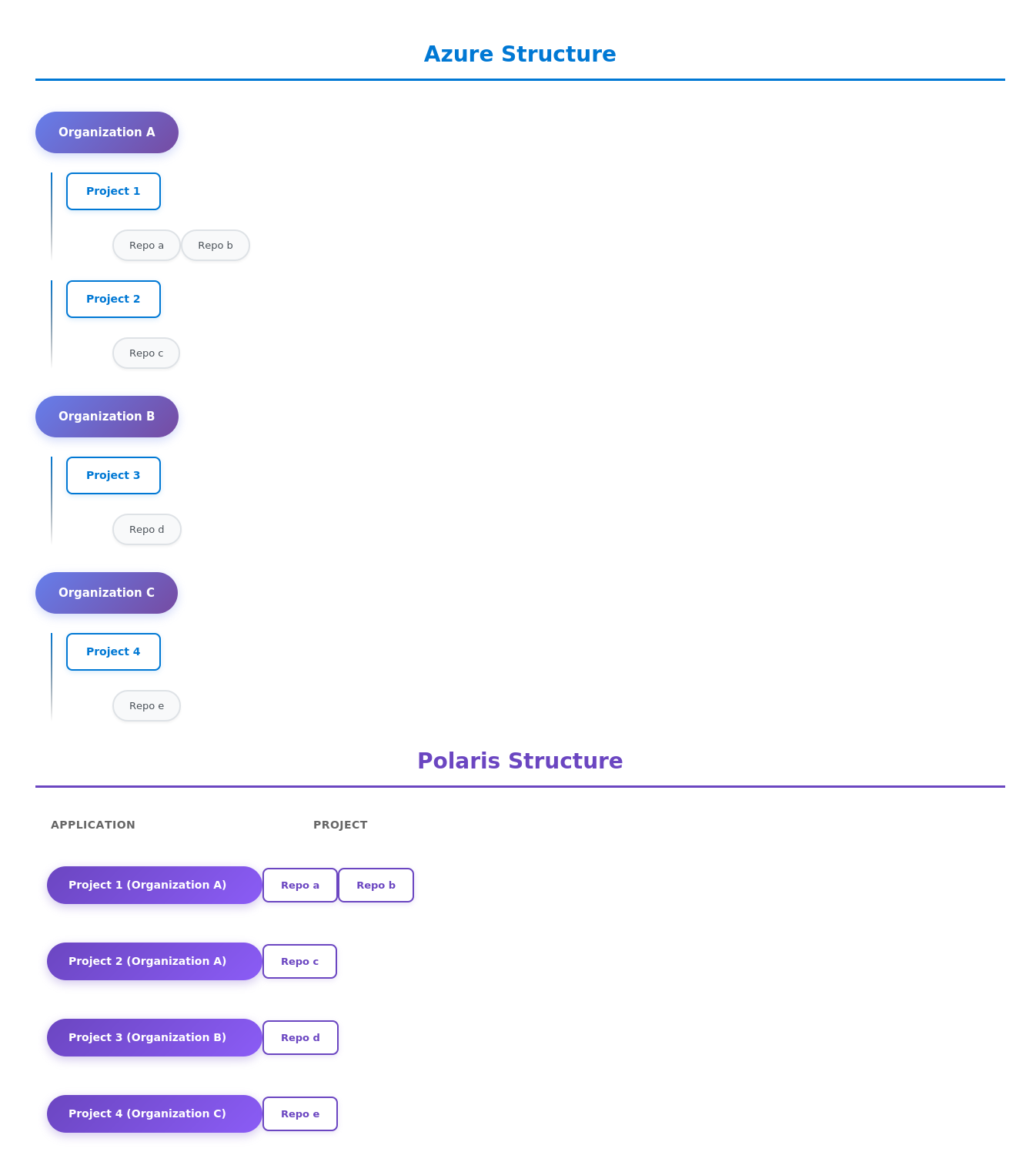
In Polaris, names of applications will be Azure Project name (Azure Organization name).
Customizing onboarding (optional)
-
On your Portfolio page, a progress bar with a
percentage done will track your progress.

If the onboarding fails, an email notification will be sent to the user who initiated the onboarding. Detailed information on any synchronization failures can be obtained in Audit Logs.
Click Cancel to cancel the import. Any repository in the process of being imported at the time of cancellation will complete in the background after the cancel is accepted. Then all onboarding will be stopped immediately. For example, if you import ten repositories and cancel at 50%, five repositories would be imported and five repositories would not.
SCM bulk onboarding projects into an application
Next Steps
Change settings or add:
- Synchronizing Polaris with your SCM Provider
- Event-Based Test Automation in Polaris for SCM Integrations
You can also scan on demand (see How to test from the web UI) or schedule automatic testing on a daily or weekly basis (see Test scheduling policies).